How to sit well while gaming
Good posture while gaming is not one position, but a balance that adopts to how you sit, move, and play over time.
How to sit well while gaming
Good posture while gaming is not one position, but a balance that adopts to how you sit, move, and play over time.
A more considered way to sit
As gaming and workspaces continue to merge, the role of a gaming chair or ergonomic office chair has evolved. It is no longer just about function. It needs to support long sessions while fitting naturally into the space around it. Chairs designed with ergonomic research and intuitive adjustment aim to support a wide range of sitting styles rather than a single ideal. By allowing users to find their own balance, they create a more natural way to sit.
There is no single way to sit
What feels comfortable to one person may not feel right to another. Body proportions differ, preferences change, and even your posture will shift throughout a session. During moments of focus, you may lean forward. Between them, you settle back. Over time, these movements become part of how you sit. This is what makes ergonomics difficult to define. It is not a fixed position, but a balance between support, movement, and individual comfort.
Comfort is personal, but not random
Ergonomics is subjective, but it is not without structure. What feels comfortable will vary from person to person, yet certain principles tend to support a better sitting experience over time. Balanced support, freedom to move, and alignment between chair, desk, and body all matter. These are not rules to follow, but starting points that can help you find what works more consistently. What matters is not whether a position is considered correct, but whether it remains comfortable during real use.
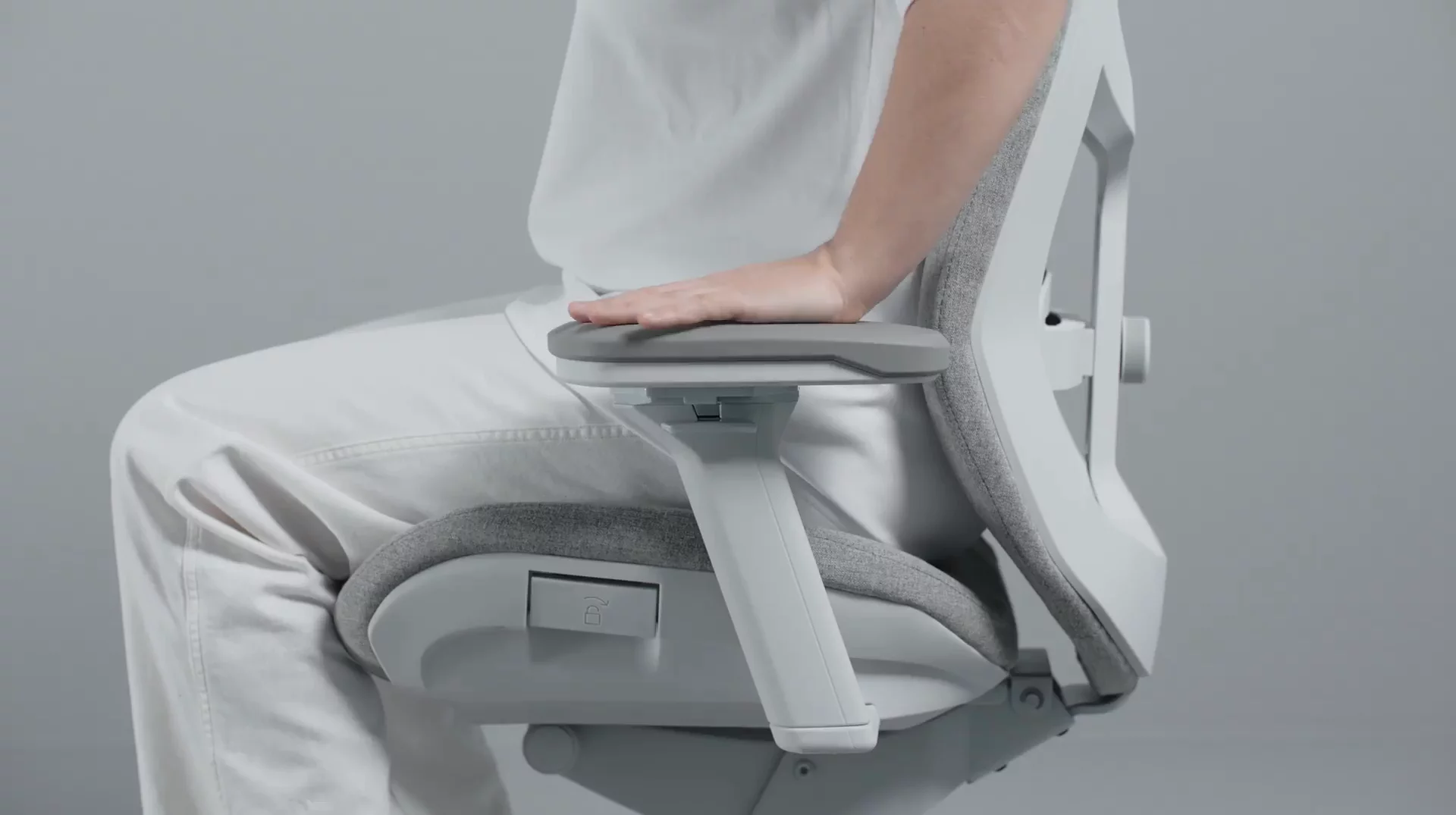
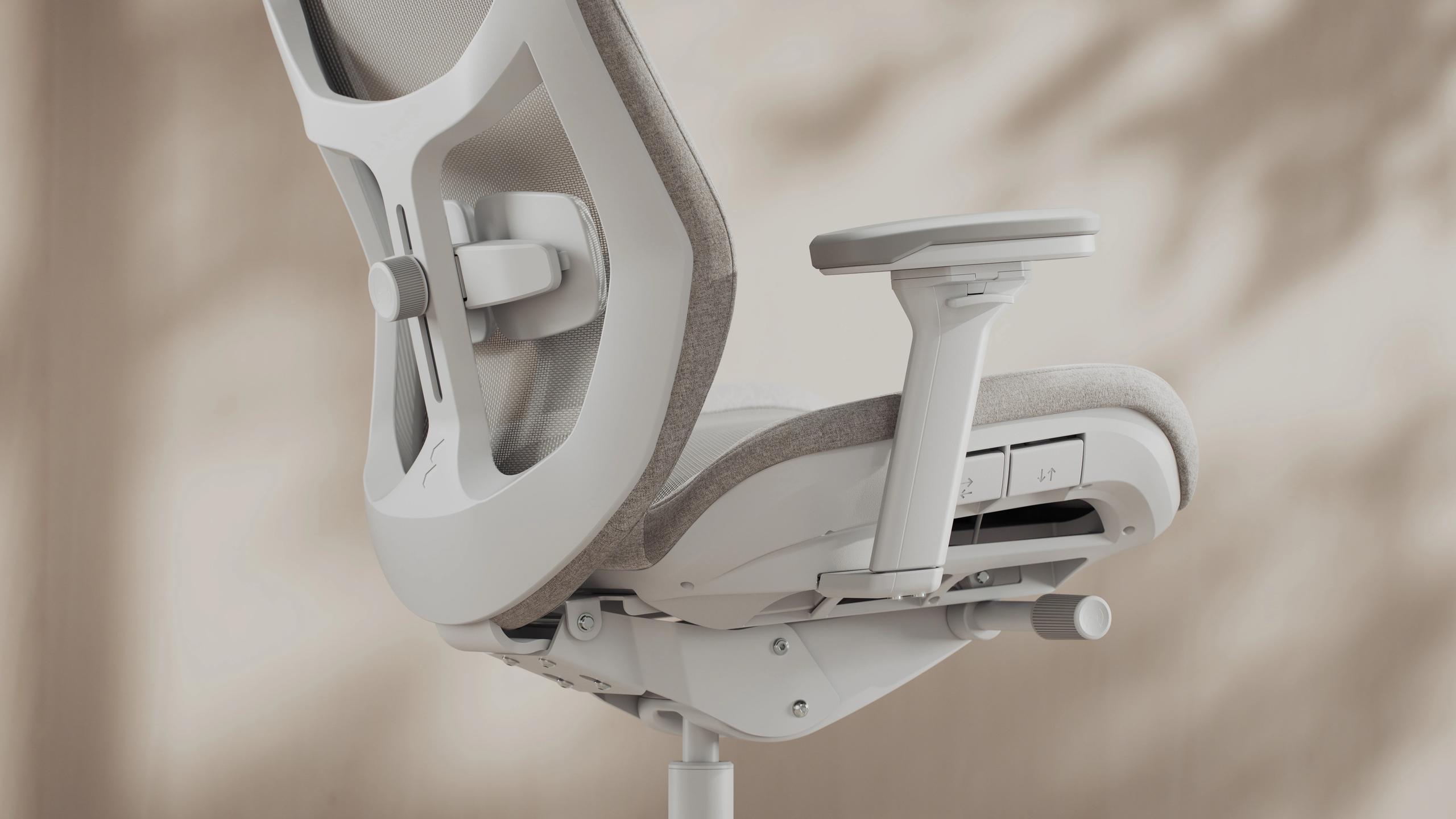
Adjust the armrests so your forearms can rest lightly while your shoulders stay relaxed. The goal is to support your arms without lifting or pulling your shoulders out of position.
Position the lumbar support so it follows the natural curve of your lower back. It should feel present and supportive, without pushing you forward or forcing you upright.
Adjust the seat height and depth so your feet rest comfortably on the floor and your thighs feel supported. There should be enough space behind your knees to avoid pressure during longer sessions.
Place the headrest where it supports the back of your head or neck when you lean back. It should help you relax into the chair without changing your natural posture.
Use recline to move between upright and more relaxed positions throughout a session. A slight recline can help distribute weight more evenly and reduce pressure on the lower back.
Adjust the armrests so your forearms can rest lightly while your shoulders stay relaxed. The goal is to support your arms without lifting or pulling your shoulders out of position.
Start with a balanced position
A good starting point is stability. Your feet should rest flat on the floor, with your knees at a similar height to your hips. This helps distribute weight evenly and reduces unnecessary strain. From there, your chair should support your body without requiring constant adjustment. Seat height plays a key role. If it is too high, pressure builds under the thighs. Too low, and the hips begin to tilt backward, affecting how the spine is supported. Small adjustments here often make a noticeable difference.
Let the chair support your spine
The lower back tends to carry most of the load when sitting. Without support, it gradually rounds, which can lead to discomfort over longer sessions. An ergonomic chair should support the natural curve of your spine without forcing you into position. When lumbar support is aligned with your body, posture becomes easier to maintain without thinking about it. This is less about sitting perfectly upright and more about reducing the need to compensate.
Movement matters more than posture
It is easy to think of ergonomics as something static, but in practice, it is not. You will shift, lean, and reposition throughout a session. A chair that allows for this movement while maintaining support will feel more comfortable over time than one that restricts it. Adjustability helps here. Features such as seat depth, armrest positioning, and recline allow the chair to adapt to different sitting styles. When these elements work together, sitting well becomes more natural and less deliberate.
Pay attention to arms and shoulders
Tension often builds in the shoulders before it is noticed elsewhere. If armrests are too low, your shoulders carry more weight. If they are too high, they are pushed into an unnatural position. Ideally, your forearms should rest lightly while your shoulders remain relaxed. Desk height also plays a part. A surface that is too high or too low can affect how your arms are positioned, even if the chair itself is well adjusted. These small imbalances are easy to overlook, but they tend to become more noticeable over time.
Use recline to stay comfortable longer
Sitting fully upright is not always the most comfortable position over extended periods. A slight recline can help distribute weight more evenly and reduce pressure on the lower back. Being able to move between upright and more relaxed positions allows your posture to shift naturally throughout a session. Chairs that support this movement tend to feel more comfortable without requiring constant readjustment.
Choose materials that support longer sessions
Comfort is not only about positioning. Materials also matter, especially during longer use. Breathable surfaces, such as mesh, can help regulate temperature and reduce heat build-up. Supportive cushioning helps prevent pressure points, while a stable structure ensures that the chair continues to feel consistent as you move. These factors are not always immediately noticeable, but they contribute to a more comfortable experience over time.
In short
Sitting well is rarely about finding a perfect position. It is about creating the right conditions for comfort to last over time. With the right balance of support, movement, and materials, it becomes easier to stay focused on the experience rather than the chair.
There is no single correct way to sit, as ergonomics differ from person to person
A balanced sitting position helps reduce strain during longer sessions
Good lumbar support allows the spine to maintain its natural curve
Movement and adjustability are more important than holding a fixed posture Small imbalances in arm, desk, or seat positioning can lead to discomfort over time
Materials such as mesh can improve comfort by helping regulate temperature during extended use